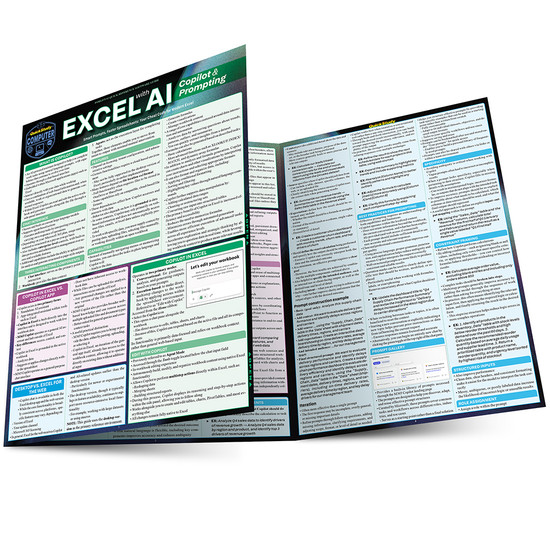



Make Excel easier using Copilot, the Microsoft AI tool built for Microsoft Office. Tasks that take hours to complete can be done in minutes and using natural language AI prompts. Know what tasks Copilot can do, how the tasks work, and how to generate prompts that will get the results you need. Succinct, colorful, and in an outline style format for finding answers fast, this 6 page laminated guide shows you the fantastic time-saving tools, plus how far Copilot can go with info on other AI options for deeper analysis. Author Andrew McLeod, a writer, and statistics and computer science expert working in AI since 2022 uses his Excel and AI knowledge to help you with the best notes an expert can give for a great price. Add this desktop reference to your workplace AI toolbox.
6 page laminated reference guide includes:
- What is Copilot?
- Chat Interface
- Three Interacting Components
- Features
- Capabilities
- Copilot in Excel vs. Copilot App
- Desktop vs. Excel for the Web
- Copilot in Excel
- Edit with Copilot
- Model Selection
- Select Sources
- Web
- Work
- Referencing
- Cells & Ranges
- Tables
- Worksheets
- Charts
- Operations
- Formula creation
- Column creation
- Aggregation
- Data retrieval & querying
- Summarization & explanation
- Other Capabilities
- Data Requirements
- M365 Copilot
- Excel Agent
- Notebooks
- Pages
- Office Agent
- Translate Business Intent into AI Formulas
- Core Prompt Components
- Prompt construction example
- Iteration
- Best Practices for Prompting
- Prompt Gallery
- Specificity
- Constraint Framing
- Structured Inputs
- Role Assignment
- Output & Source Validation
- Core Prompt Components
- Limitations
- Copilot in Excel
- Web Connectivity
- Office Agent
- Notebooks
- Pages
- Updates
- Copilot Analyst
- Copilot Researcher
- Beyond Copilot
- Add-ins
- ChatGPT
- Claude by Anthropic for Excel
- Shortcut AI
- Add-ins
- Julius